
Step by step instructions
Open the Meshy Workspace and select the model whose task ID you need. This opens the model preview.
Click the expand button in the lower-right corner of the model preview. The task ID appears in the expanded panel, where you can copy it and share it with others.
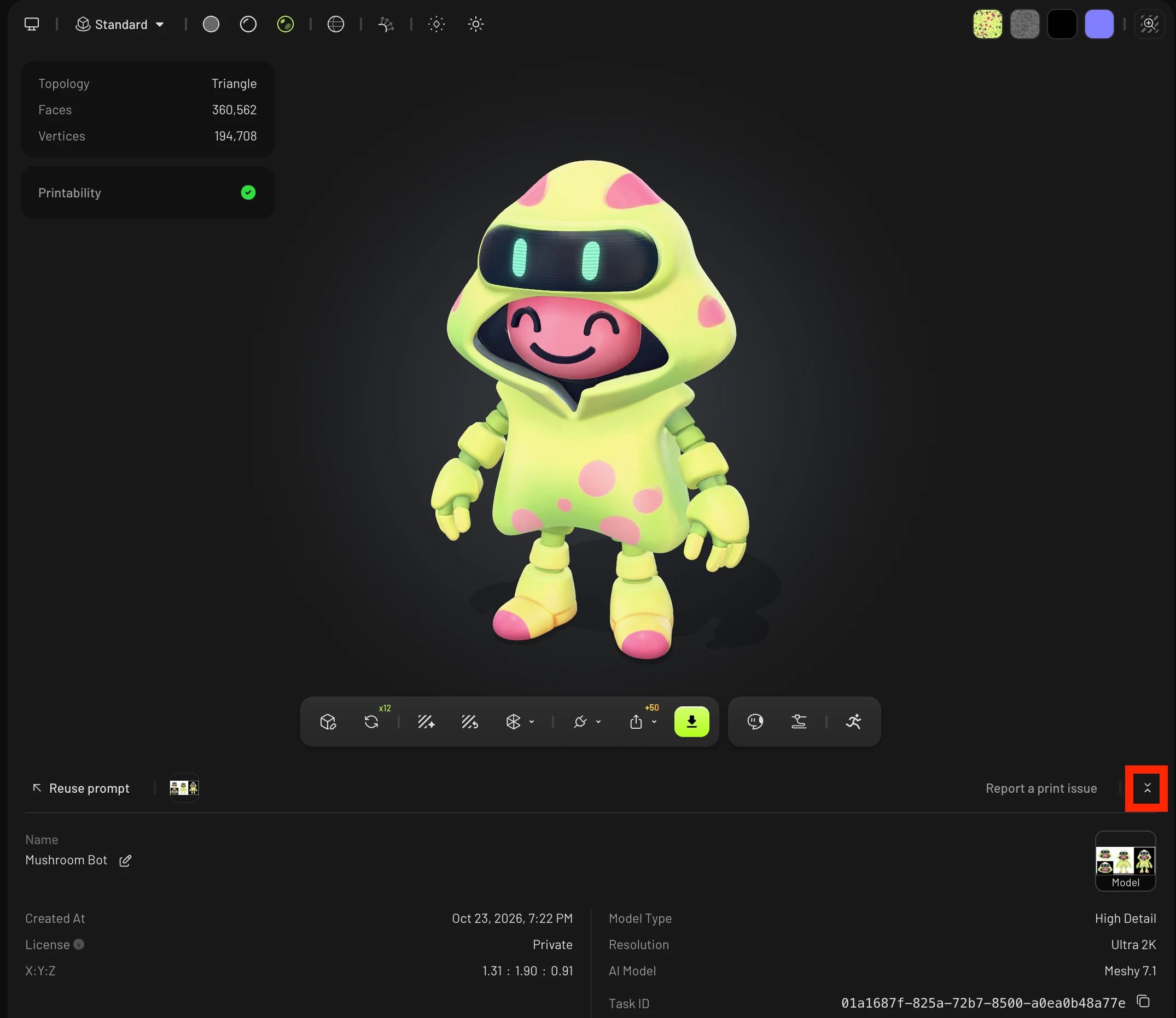
The task ID identifies that specific model generation, so it is the reference to include when you contact support about a generation, or when you look up the same task through the API.
If you also want to send the model link to someone, see How to Share Model URL.