
Quick answer
In Meshy, the referral program lets you invite friends and earn a $20 coupon (one free month of Pro) when your friend signs up with your link and pays $1 for 30 days of Meshy Pro.
First, get your unique referral link at meshy.ai/referral and share it with your friend.
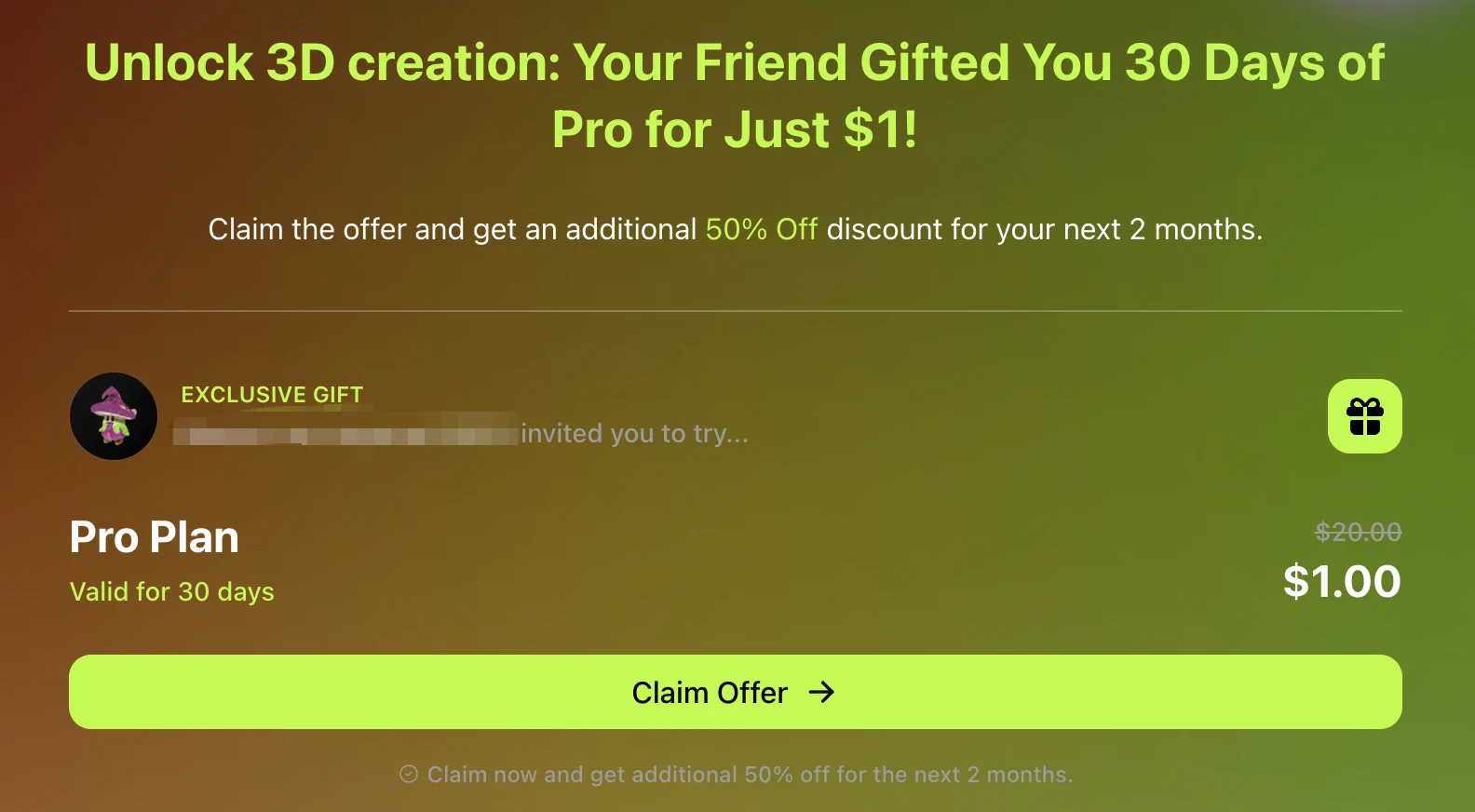
Second, have your friend click your invitation link and select Claim Offer — they’ll receive $1 off the first month and an additional 50% off for pro monthly plan or $10 coupon for the next two months.
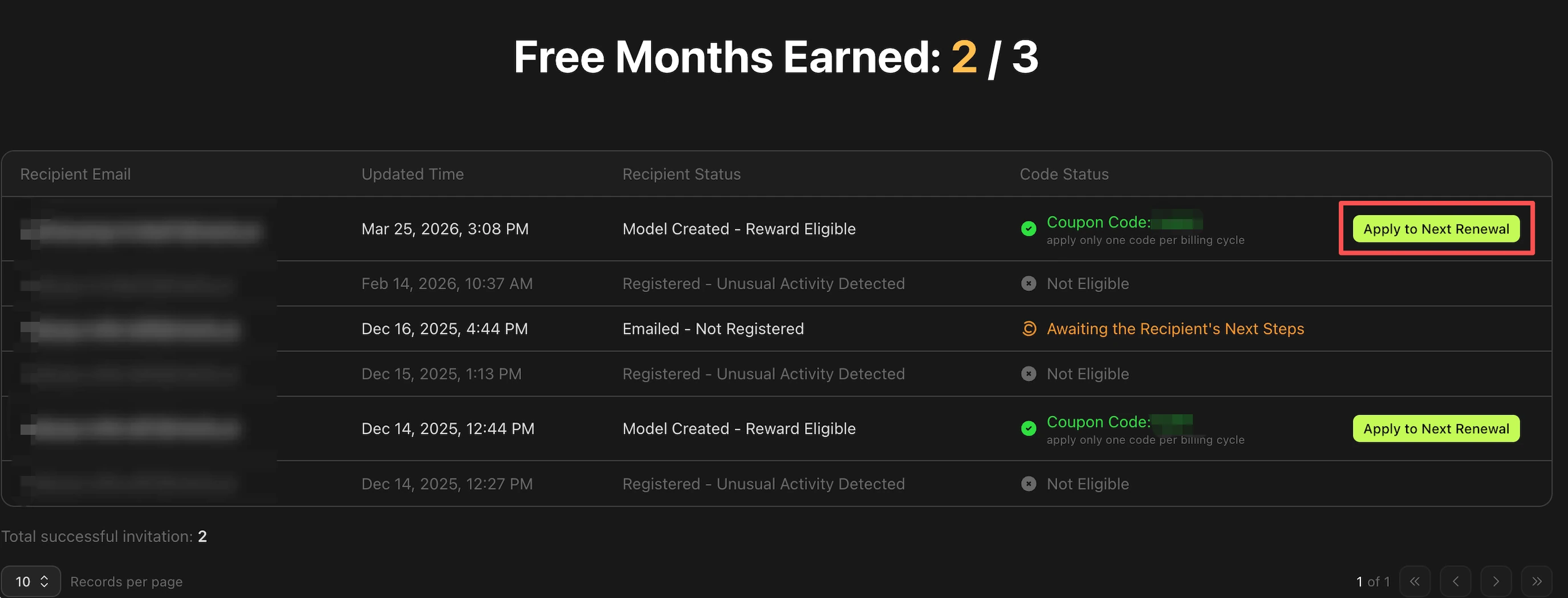
Once your friend completes their $1 purchase, your coupon will be automatically added. Head to meshy.ai/referral and scroll down to Free Months Earned, then click Apply to Next Renewal to redeem your coupon. You can also find your coupon code via: Settings → Subscription → Discounts.
Eligibility rules
Both you and your friend must meet these conditions for the reward to be credited:
-
The Referral Program is currently only available to Free and Pro subscribers. Studio, Enterprise, and Education Plan users are not eligible to participate.
-
Due to local regulatory restrictions, the Referral Program is not available in China, Brazil, and India. Subscribers of all plan tiers in these three regions cannot take part in the program.
-
Your friend must sign up using your unique referral link.
-
Your friend must be a new Meshy user — first-time registration only. Re-registering after deleting an account does not qualify.
-
You and your friend must use different IP addresses and different devices.
-
Do not use a VPN when completing the referral process.
-
Do not register with a disposable email address.
What you and your friend receive
When a friend signs up using your referral link and completes the $1 purchase:
-
Your friend (invitee): Gets 30 days of Meshy Pro for $1 and an additional 50% off for pro monthly plan or $10 coupon. This is non-refundable.
-
You (inviter): Earn a $20 coupon — equivalent to one free month of Meshy Pro — credited to your account automatically once your friend's purchase is confirmed.
How to get and share your referral link
-
Go to meshy.ai/referral.
-
Copy your unique referral link.
-
Share it with friends via social media, email, or direct message.
How to apply your referral coupon
-
Go to Settings → Subscription → Discounts to confirm your $20 coupon is available.
-
Visit the Pricing page and click Subscribe Now on an eligible plan.
-
At checkout, the coupon is applied automatically — you will see the discounted price before confirming.
-
Click Confirm to complete the payment.
Important: Coupons can only be applied to Stripe payments. Do not click Pay with PayPal — the discount will not apply. Multiple coupons or rewards cannot be combined simultaneously.
Common questions
How many friends can I refer?
No limitations but you can only get coupons up to three times.
Each friend who successfully completes the $1 purchase using your unique referral link qualifies you for a separate $20 coupon, credited to your account automatically once the qualifying purchase is confirmed.
Why didn't I receive my $20 coupon after my friend signed up?
The most common reasons are: your friend did not use your referral link, your friend registered with the same IP address or device as you, or a VPN was active during registration which may detected as non-eligible.
Note that the coupon is only issued after your friend completes the $1 purchase — signing up alone is not enough. See Why am I not eligible to receive a month of Pro from the referral program? for full details.
Can I combine my referral coupon with another discount?
No. Multiple rewards and coupons cannot be combined simultaneously at Meshy. If you have both a referral coupon and another promotional discount, only one can be applied per transaction. Check Settings → Subscription → Discounts to see which offers are active on your account before subscribing.
My friend paid the $1 — why hasn't my coupon appeared yet?
Coupon crediting is automatic but may take a short time after your friend's payment confirms. Check Settings → Subscription → Discounts. If your coupon does not appear within a reasonable time after your friend's confirmed $1 payment, contact us at support@meshy.ai with your account email, your friend's account email, the invitation link and your friend's registration date.
If you have any questions, feel free to ask in our Discord Community or contact us at support@meshy.ai.