My model failed to import in Unreal Engine with Meshy Bridge Plugin
Issue:
When attempting to import a model into Unreal Engine using the Meshy Bridge Plugin, the model download progress bar remains stuck at 0%. No model is imported into the Unreal Engine scene. Note: we support Unreal 5.6
The Output Log also reports an error during ZIP decompression.
Solution:
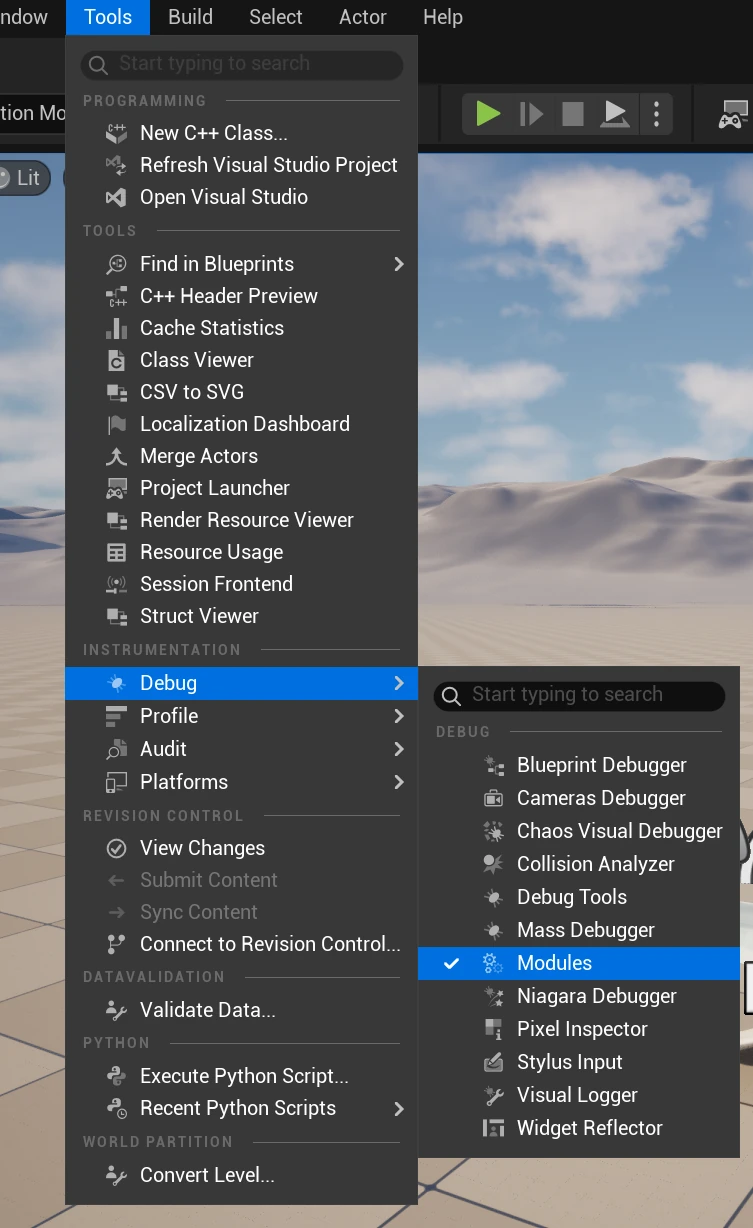
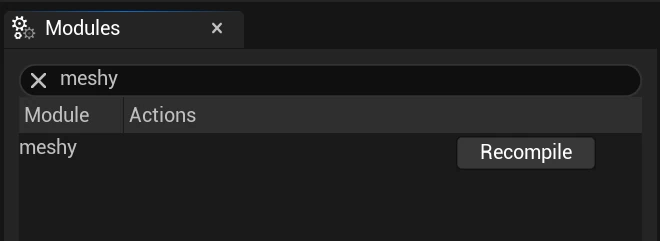
Open Modules under Tools, search for "meshy", and click Recompile.
Restart the project. The plugin should now function correctly.
You can read our documentation for the Meshy to Unreal Bridge Plugin here