
How to use the Texture feature
The Texture feature in the UI allows you to add textures or update a texture for a model you have already generated. You can do this to untextured and textured models.
First, click the "Texture" icon on the left side of the UI:
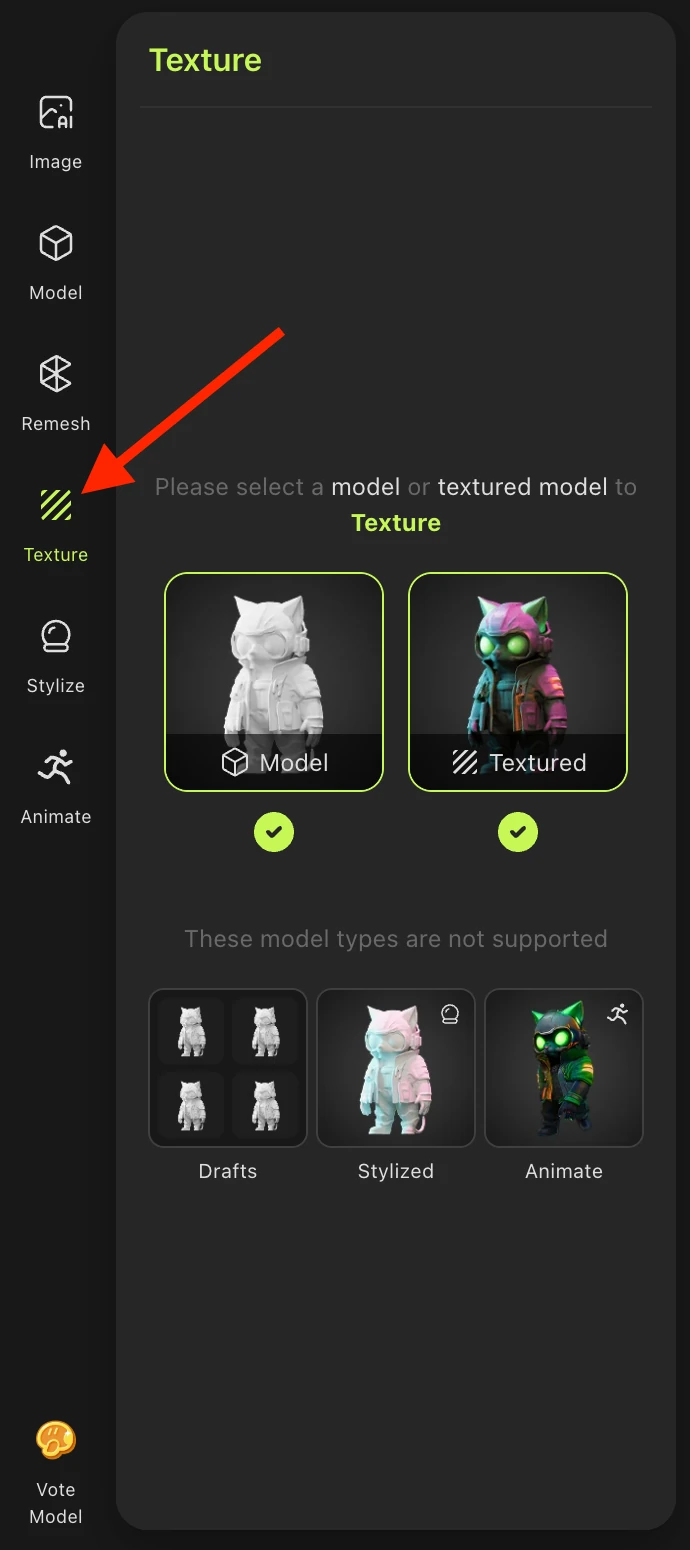
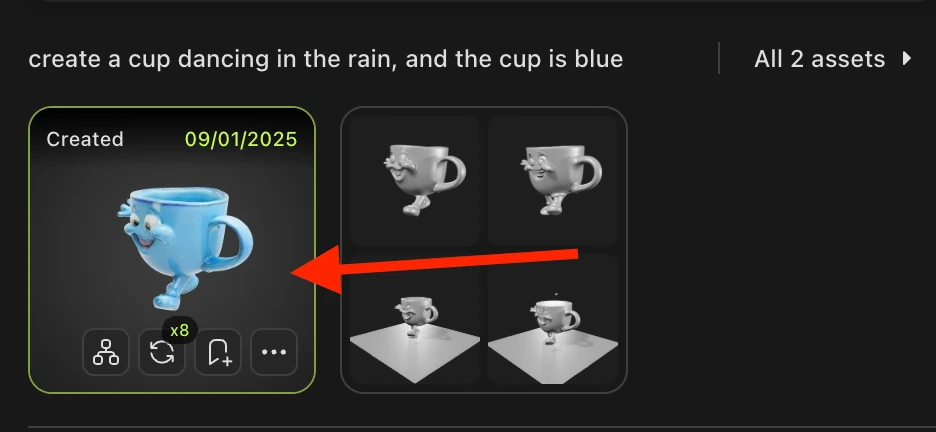
Then, select a model:
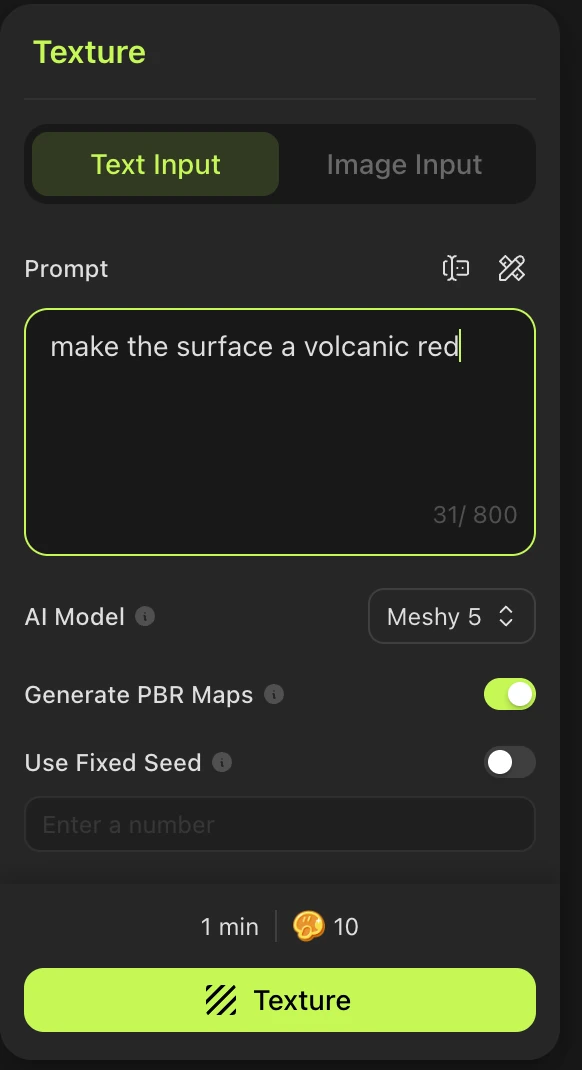
From there, you can now enter either a text prompt, or an image to update your texture:
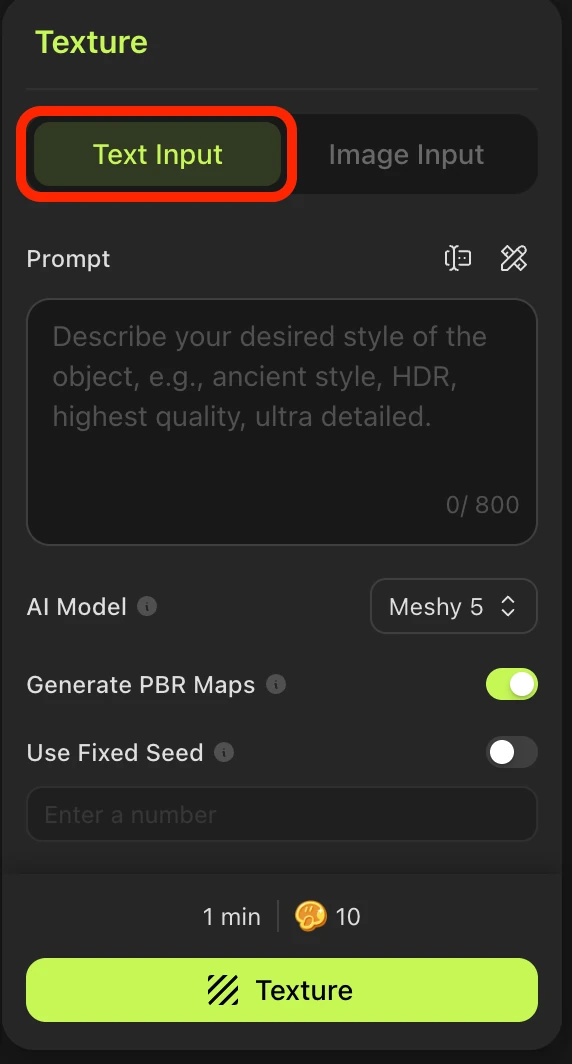
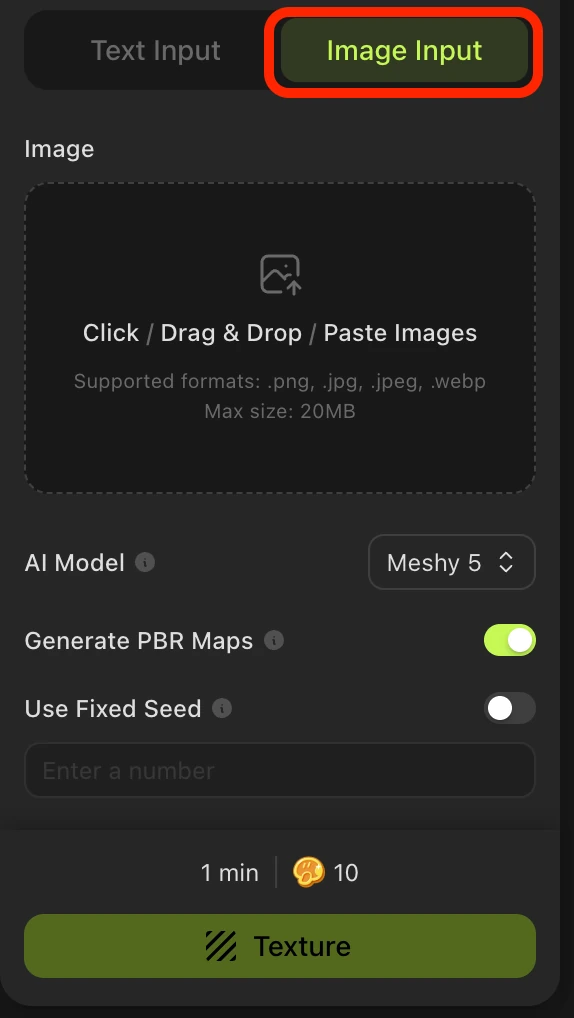
From there, enter in the desired prompt, and Meshy will update the texture depending your needs. Each use takes up 10 credits:
And there you go!