
What is a Skill?
A Skill is a reusable creation "template" for the Meshy Agent. As a creator, you package up your complete workflow — how to generate a certain style or type of work — into a single Skill. Anyone can then invoke it with / or from the Skill entry, drop in one image or one sentence, and reliably get the exact effect you designed. Think "turn a selfie into a brick figure" — your recipe, their photo, the same great result every time.
How users enjoy your Skill
Using a Skill takes seconds:
-
Click the Skill entry in the Agent (or type / in the message box) and pick a Skill
-
Upload an image right away — or simply send the Skill as-is. The Agent knows the recipe and will guide the user through whatever comes next, step by step
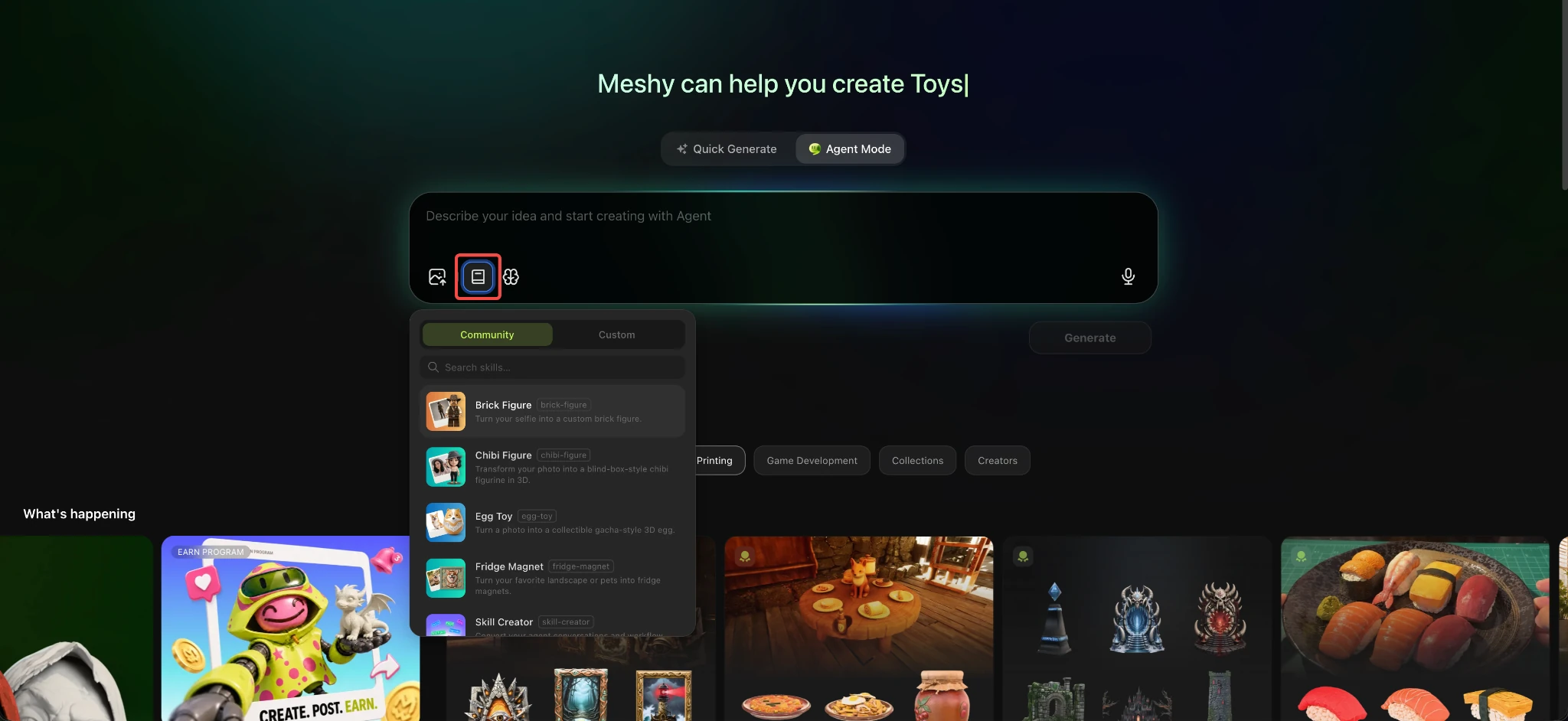
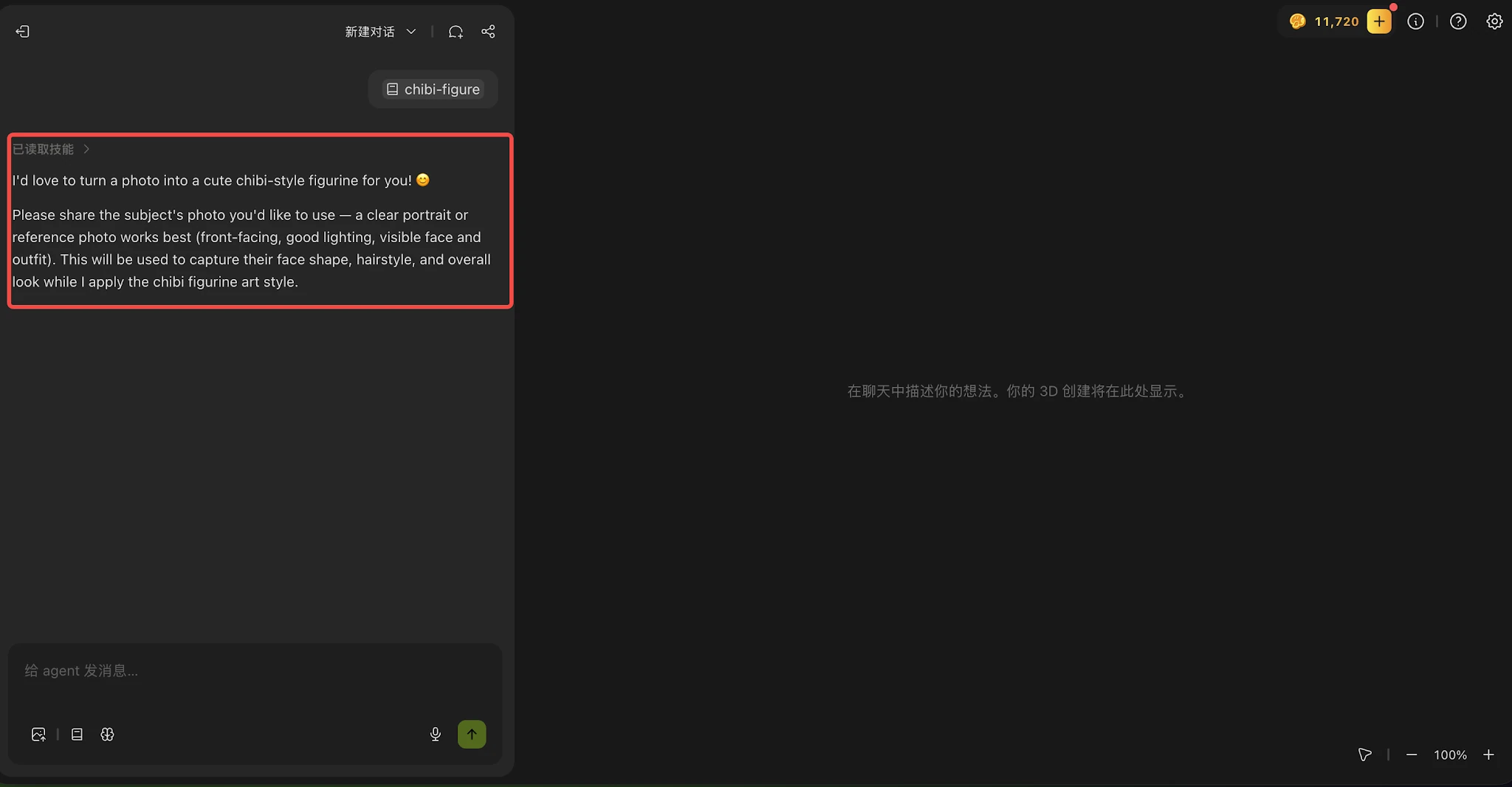
That's it — no learning curve. Your Skill does the heavy lifting.
How to create a Skill
There are two ways to build one:
Option 1: From the Skill menu
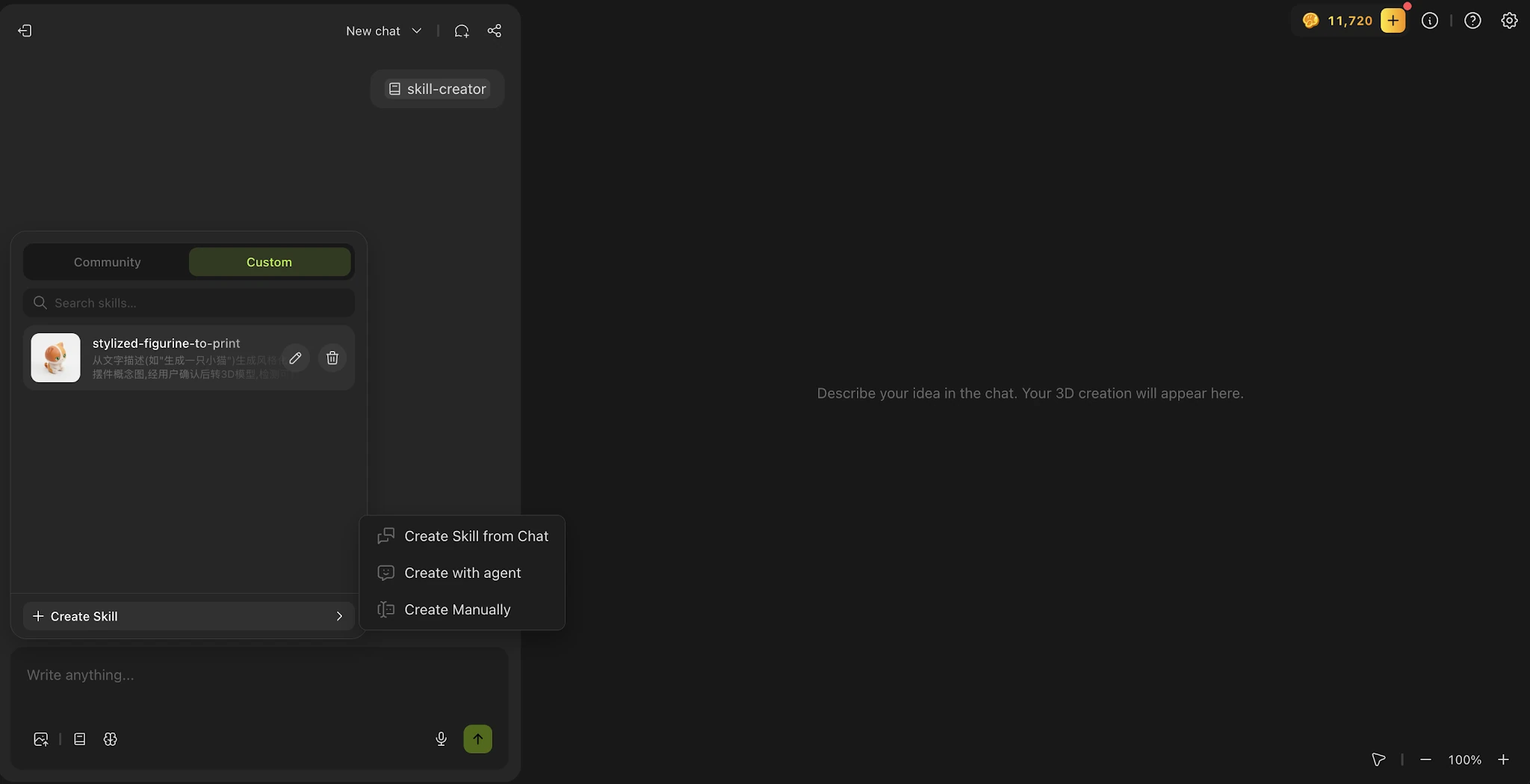
Open the Agent → click the Skill entry → Custom tab → + Create Skill, then choose:
-
Create Skill from Chat — turn a chat session that produced something great into a Skill in one click
-
Create with Agent — start a fresh conversation dedicated to building your Skill
-
Create Manually — fill in a markdown form directly; best for advanced creators or anyone used to writing skills for other agent tools
Option 2: Chat with Skill Creator
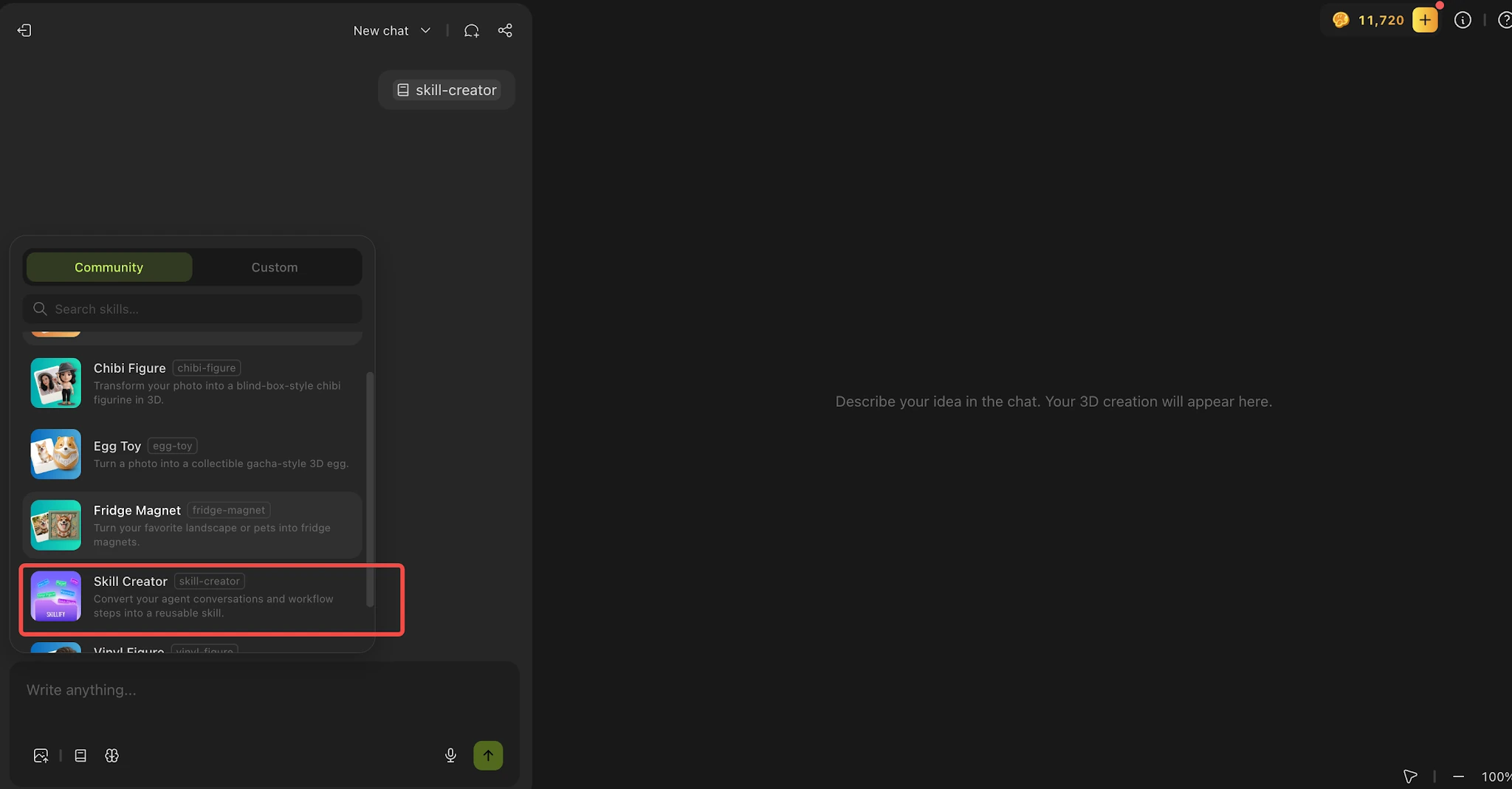
Invoke the Skill Creator Skill and let the Agent interview you like a friendly producer:
-
It helps you nail down the essentials — what your Skill does, what input users provide, what style or effect you're going for, and the steps involved
-
Upload reference images right in the conversation and iterate as you go — run your recipe, tweak until you love the result, then save it as a Skill
-
Once saved, your Skill lands in your Custom tab — private by default, visible only to you
Getting featured as an Official Skill
We're always looking for great community Skills to feature:
-
Test it while private — you can invoke your own Skill anytime via / or the Skill entry, no need to publish first
-
Our quality bar — run the same input 3 times in a row; results should be stable and stylistically consistent. Then try 3 different inputs — still solid? You're ready to publish
-
Keep polishing — you can edit and update your Skill anytime, even after publishing
-
We're watching community Skills closely, and the best ones get picked up for the official collection
What makes a great Skill?
Create whatever you can imagine — two proven directions to start from:
-
Style Skills — turn a simple input into a signature look (a specific art style, a specific kind of model). Most official Skills live here today
-
Workflow Skills — a fixed multi-step process that's worth doing the same way every time? Freeze it into a Skill
Mix the two, or invent a third category.
How to share a Skill with us
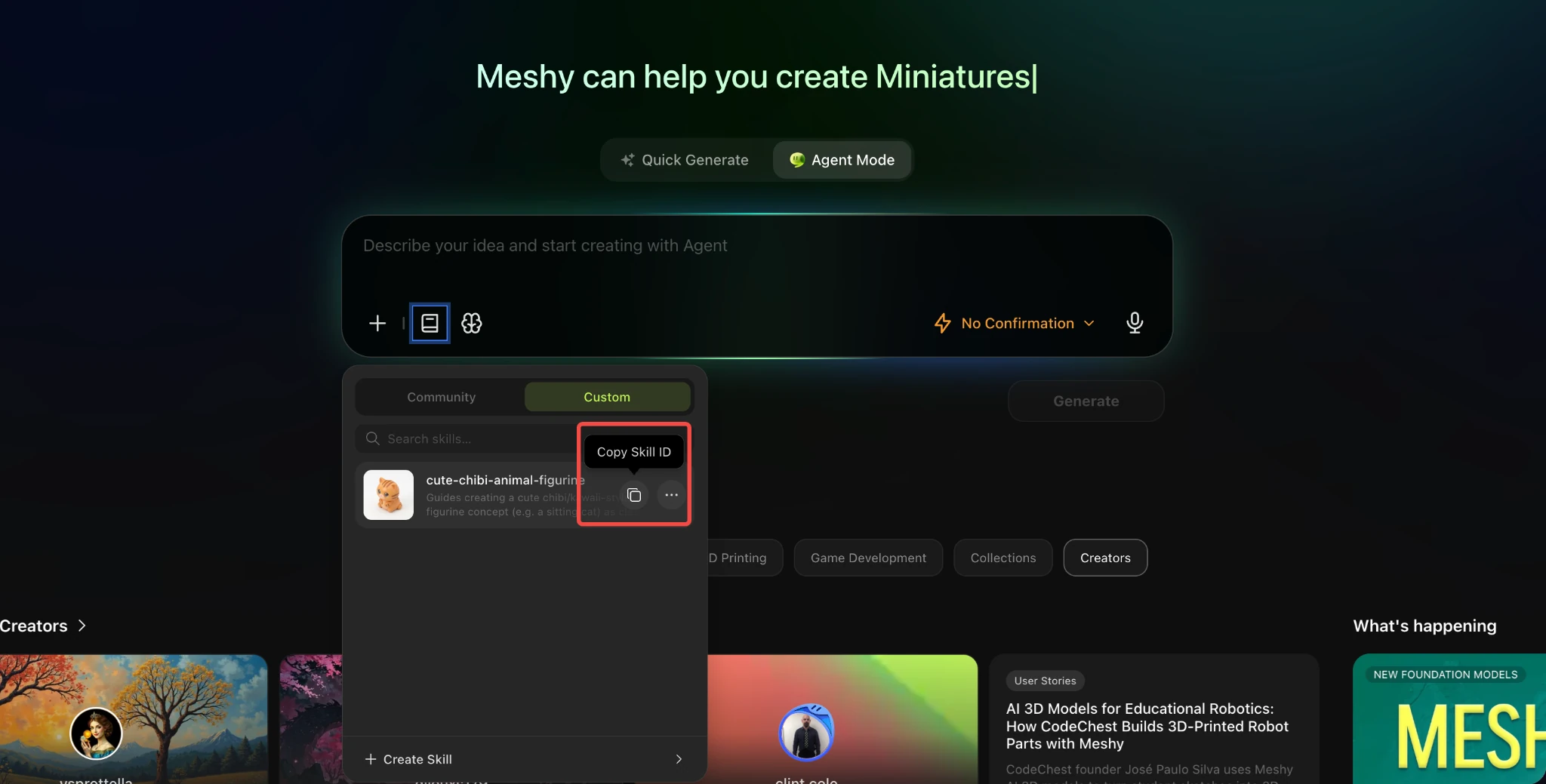
Open your custom Skill page, then Copy Skill ID and paste it into the submission form to share your Skill with us.
FAQ
Can others see or copy my Skill's recipe?
No. A Skill's content is visible only to you — everyone else can only use the results. Your recipe stays private.
Can I edit a Skill after publishing?
Yes, anytime, and only you have edit rights. You can also pull it back to private whenever you want.
Can I delete a Skill?
Yes, from your Custom tab (with a confirmation step so you don't delete it by accident).
When someone uses my Skill, whose credits get spent?
Theirs, not yours. Users spend their own generation credits — creating and sharing Skills costs you nothing.
How many Skills can I publish?
No limit.
If you have any questions, feel free to ask in our Discord Community or contact us at support@meshy.ai.