
Every task you run with Meshy Agent lives in its own conversation, and every conversation has a share link. Copying that link is the quickest way to show someone exactly what happened in a task — the prompts you sent, the steps the Agent took, and the results it produced.
Sign in to your Meshy account and open the conversation you want to share. Sign-in, account access, and credits may be required for the workspace, so check current product availability in your plan.
How to find the 3D agent conversation's share link
Open Meshy Agent in your Workspace.
Open the conversation you want to share.
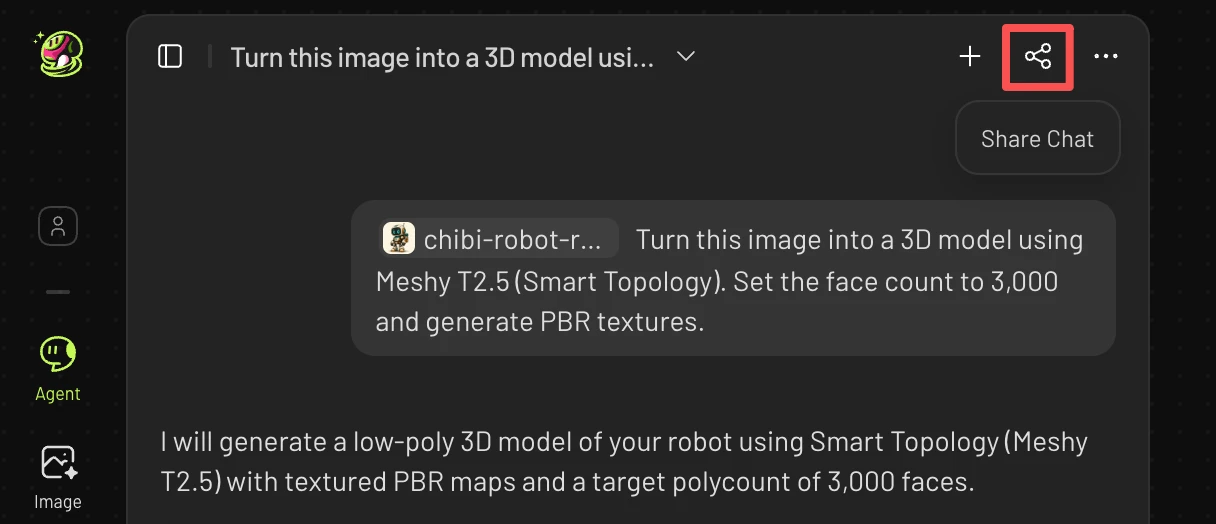
Click the conversation link share button in the upper left of the conversation.
Copy the task share link.
The link is now ready to paste into an email, a support ticket, or a chat with a teammate.
What the share link shows
The link opens the conversation record itself, so whoever you send it to can follow the same task from start to finish:
The instructions you gave the Agent
How the Agent understood and responded to them
Which tools the Agent called
Which images, prompts, or parameters were used
Whether the task completed, and what it generated
How many credits each step consumed
That is why a link is more useful than a screenshot when you report a problem: a screenshot cannot show the full execution record behind a result.
Tips
Copy the link of the specific conversation, not the Agent home page, so the recipient lands on the right task.
Add one sentence about what looks wrong or what you want reviewed; the link gives the context, not the question.
FAQ
1.Where can I find my recent 3D Agent chats?
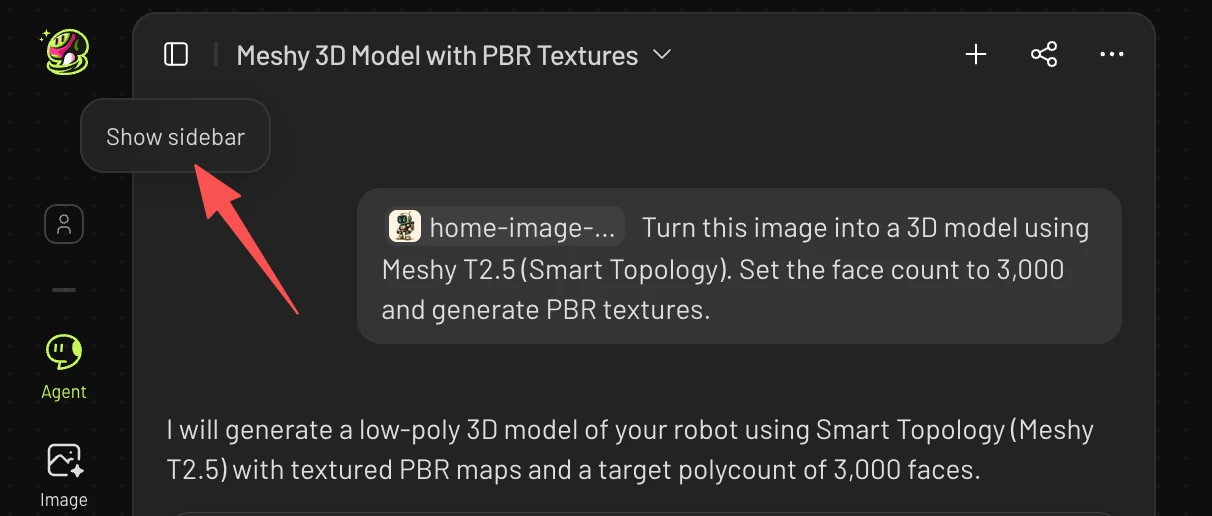
You can find your recent projects in two ways: under Recent on the Agent home page, or from the sidebar while you’re inside an Agent chat.
2. Why can’t I share my Agent thread on the mobile app?
Sharing 3D agent thread is not currently available on the mobile app. Chats started on the mobile app also don’t sync to the website, so they can’t be found there.