
如何查看我的點數歷史紀錄?
Log in to your Meshy account at meshy.ai.
Click on your profile icon in the top-right corner.
Go to Settings → Subscription.
Scroll down and select App Usage History.
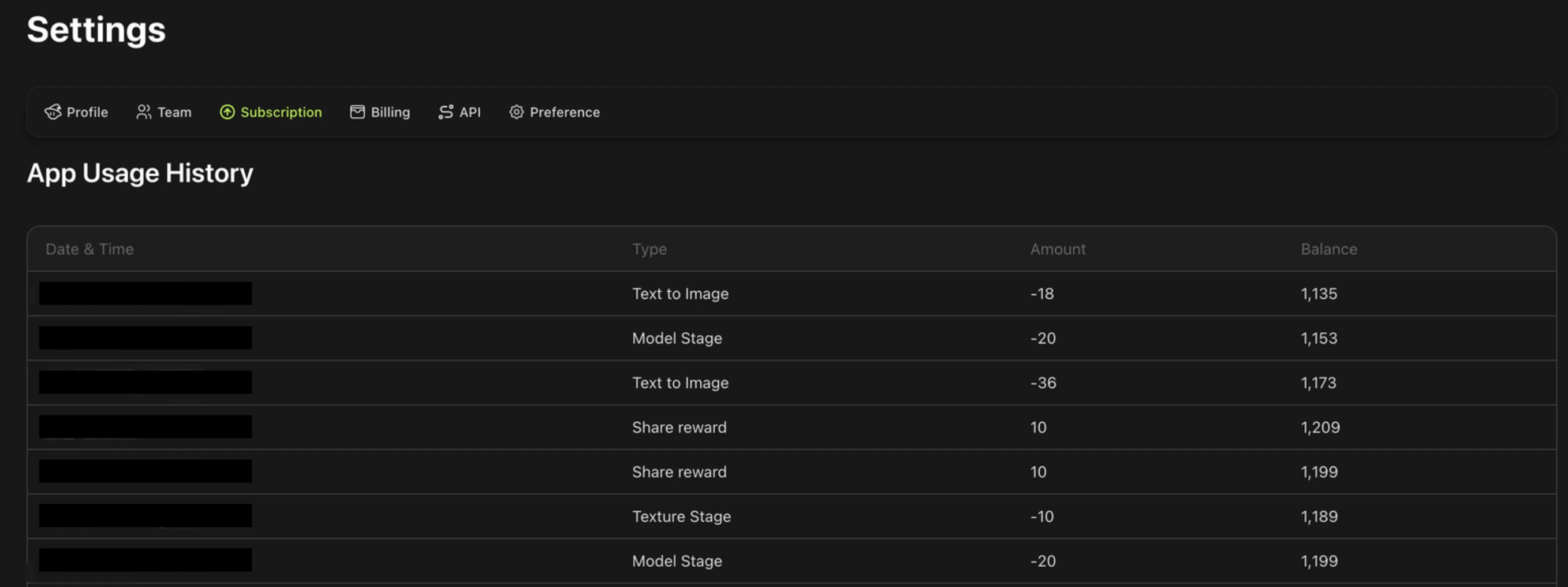
在這裡您將看到所有生成任務的紀錄,包括:
日期與時間 — 任務執行的時間
任務類型 — 例如文字轉圖片、圖片轉 3D,或任務失敗退點
數量 — 該任務扣除/獲得的點數數量
餘額 — 點數餘額
如果任務因技術錯誤而失敗,紀錄中會顯示點數已自動退回您的帳戶。