
How to Switch to a Monthly Subscription
Switching from a yearly plan to a monthly plan is considered a downgrade — you are moving to a shorter billing cycle at a lower cost.
-
Click your avatar in the top-right corner and select Settings
-
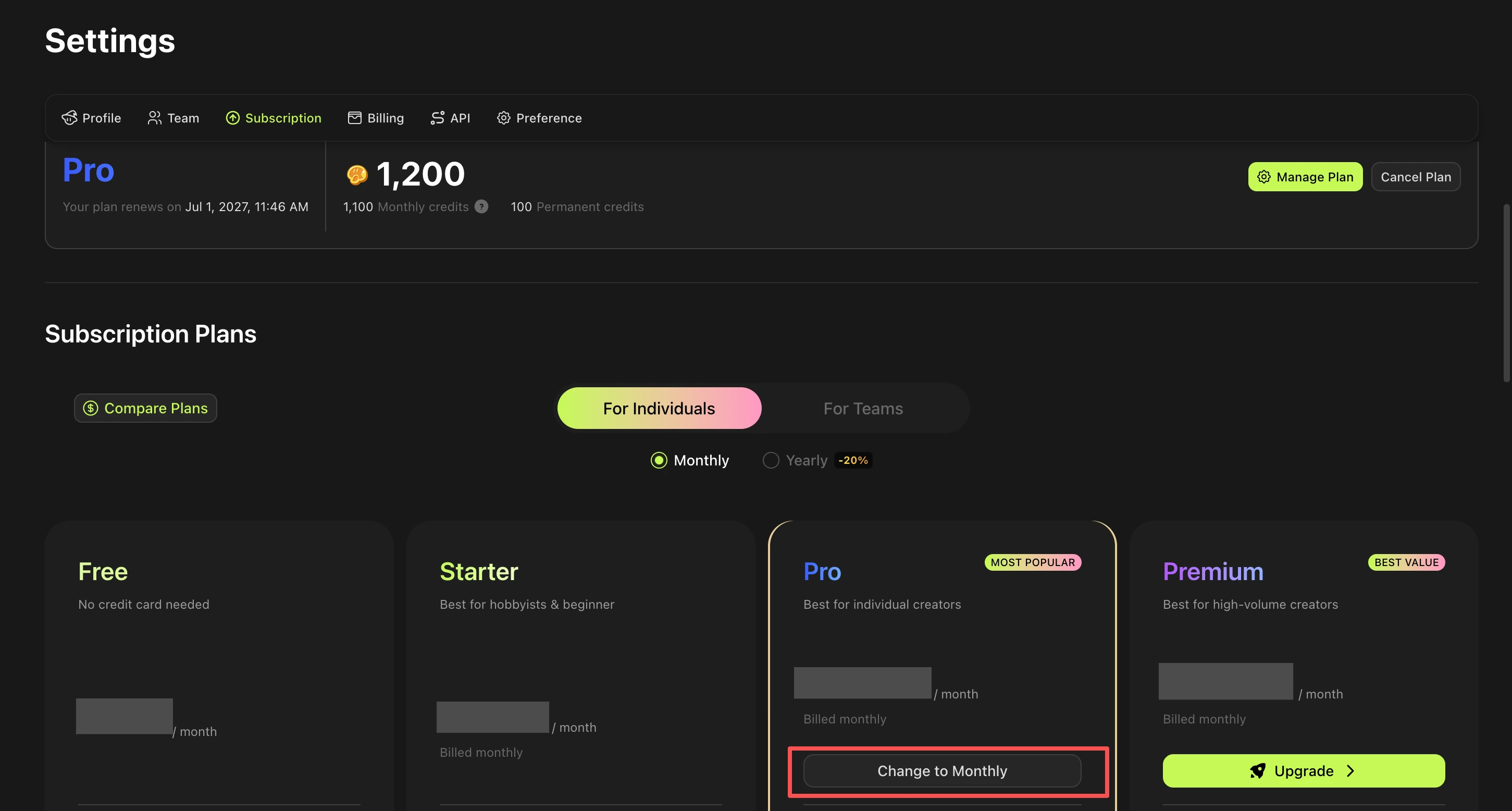
Navigate to Subscription
-
Scroll down and find the subscriptions plans, choose "Monthly" and click "Change to Monthly" button and confirm the change
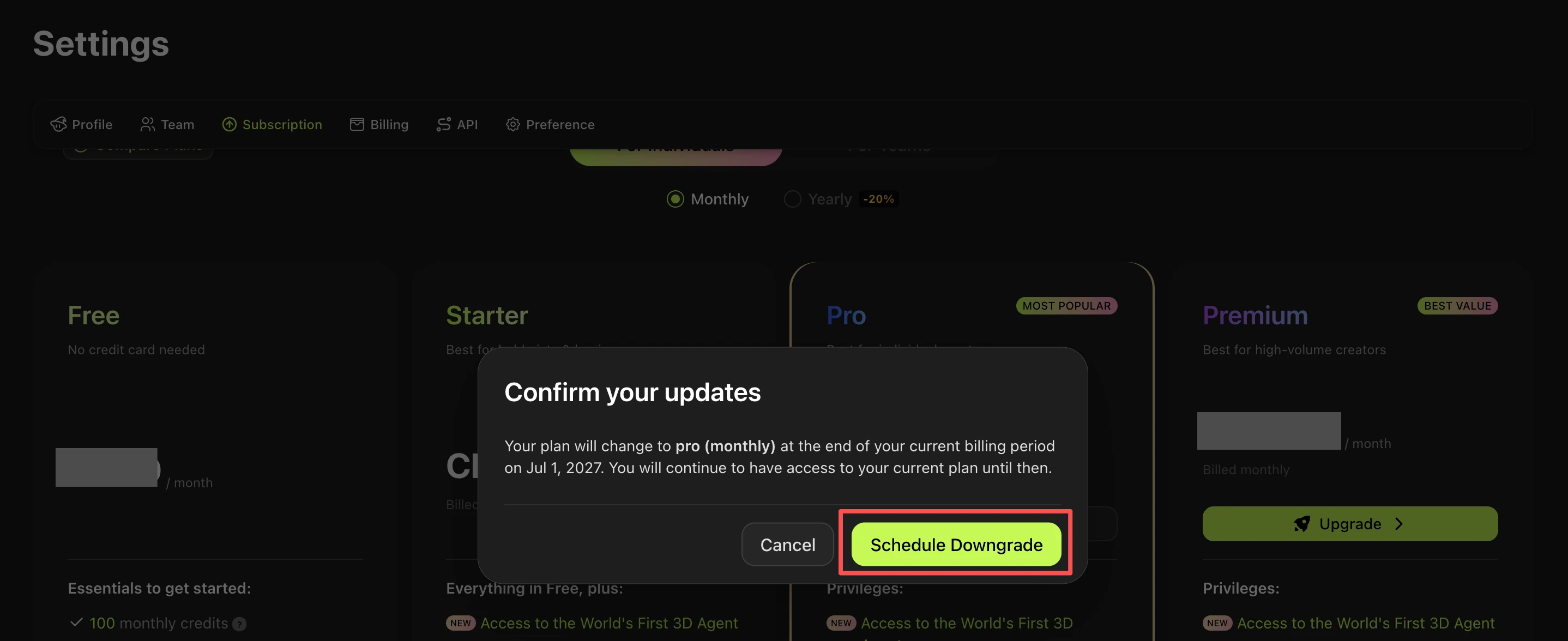
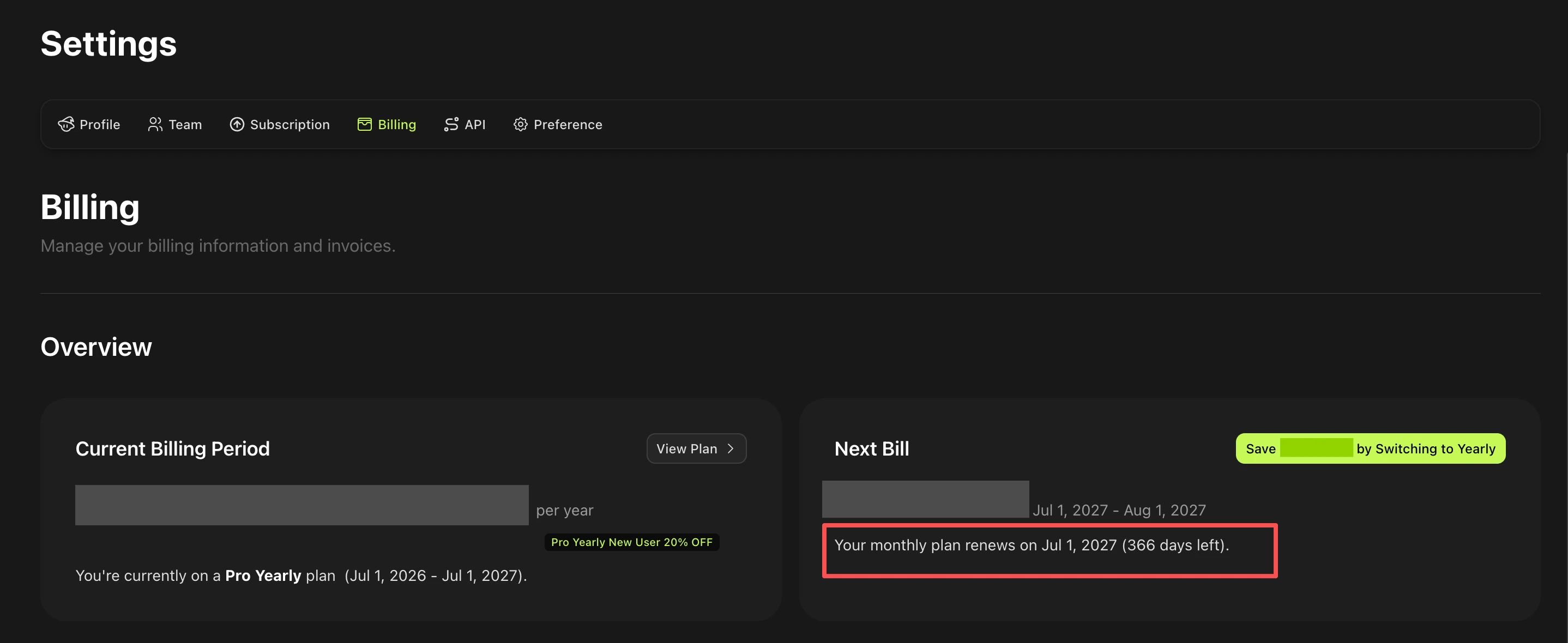
Note: The switch does not take effect immediately. Your annual subscription will remain active until expiration. Monthly billing will start automatically when your annual plan expires. You can verify the change in Billing → Overview → Next Bill.
Can I get a refund?
No. Downgrading from a yearly to a monthly plan does not include a refund for the unused months remaining on your annual subscription.
Once an annual subscription is purchased, the remaining value is not refunded when switching to a shorter billing cycle. Your annual plan will continue until it expires, after which monthly billing will begin automatically.
FAQ
1.How do I switch if I paid with PayPal?
Due to PayPal's limitations, PayPal subscriptions cannot be managed or cancelled directly through the Meshy platform. You will need to cancel your subscription from within your PayPal account directly.
2.What if I subscribed to a yearly plan by mistake?
If you accidentally signed up for a yearly subscription, you may be eligible if meet with our refund policy and contact support@meshy.ai within 5 days of the payment date.
If all the conditions are met, our support team would cancel your subscription and issue a full refund. Requests submitted after the 5-day window, or where 100 or more credits have been used, will not be eligible for a refund.